Step 1. Make sure the SmartCocoon app is updated to the latest version. You can check for updates in the App Store (iPhone) or the Google Play Store (Android).
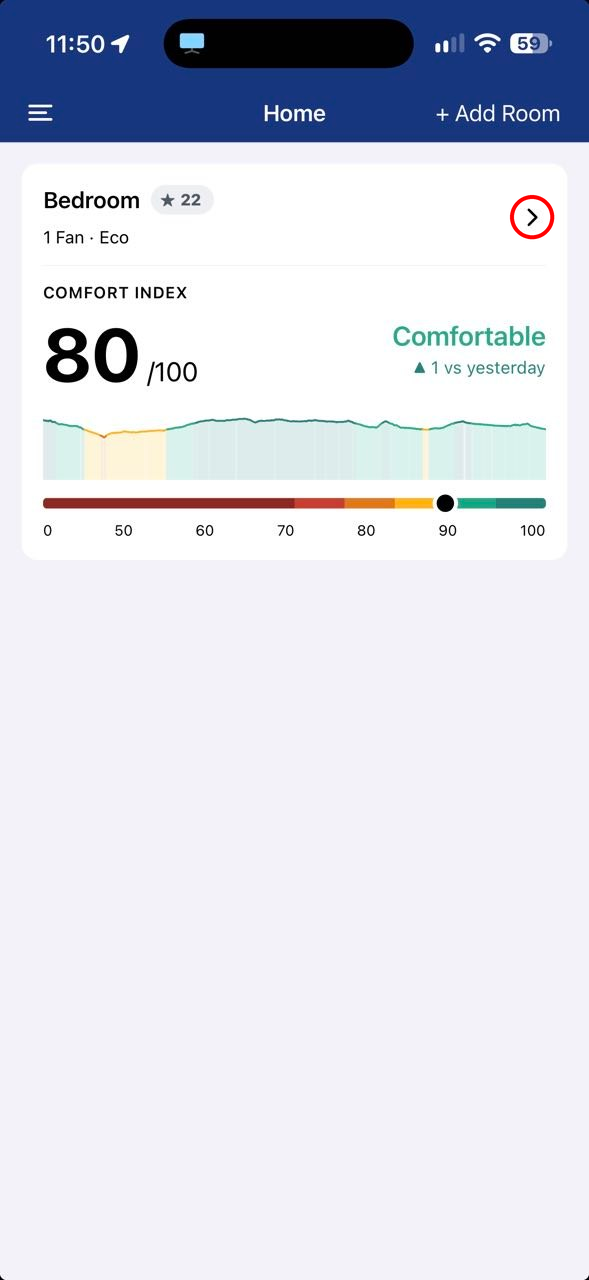
Step 2. Open the SmartCocoon app and, on the dashboard, tap the arrow on the room where the fan is installed.
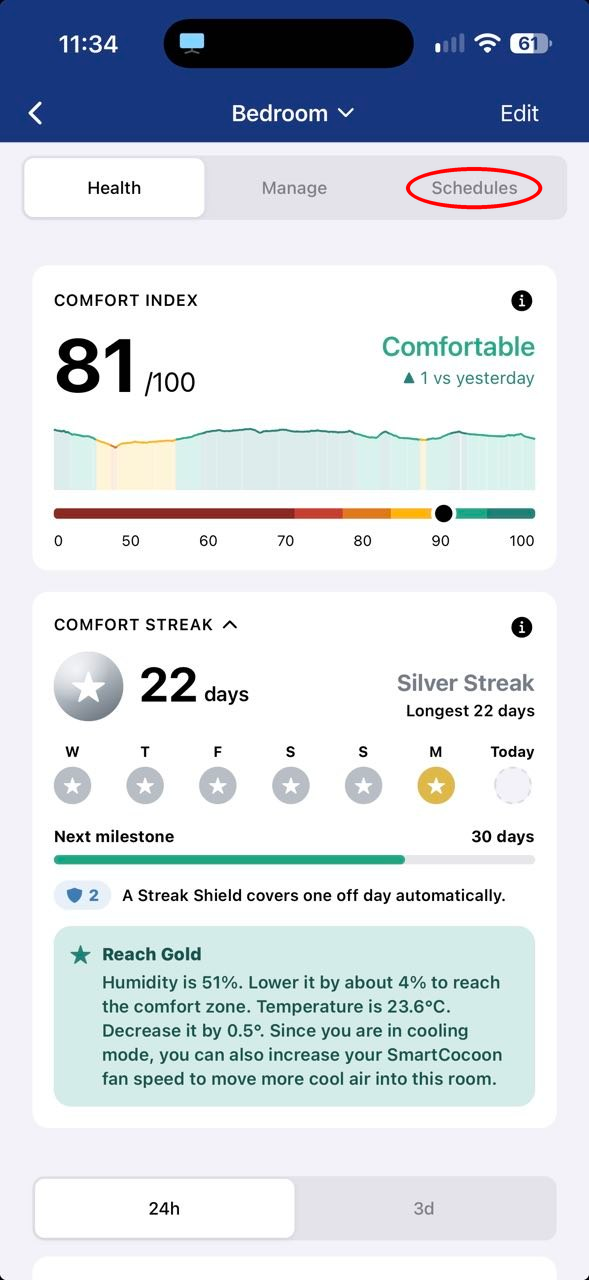
Step 3. Tap the Schedules tab at the top of the screen.
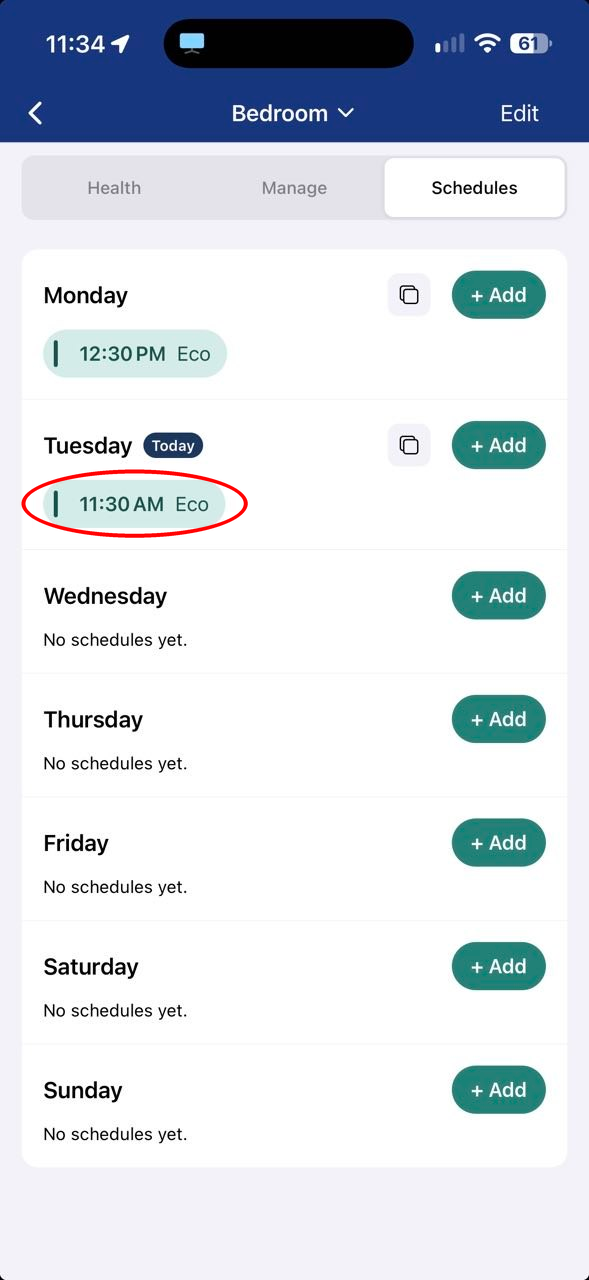
Step 4. Tap the schedule you want to change or delete.
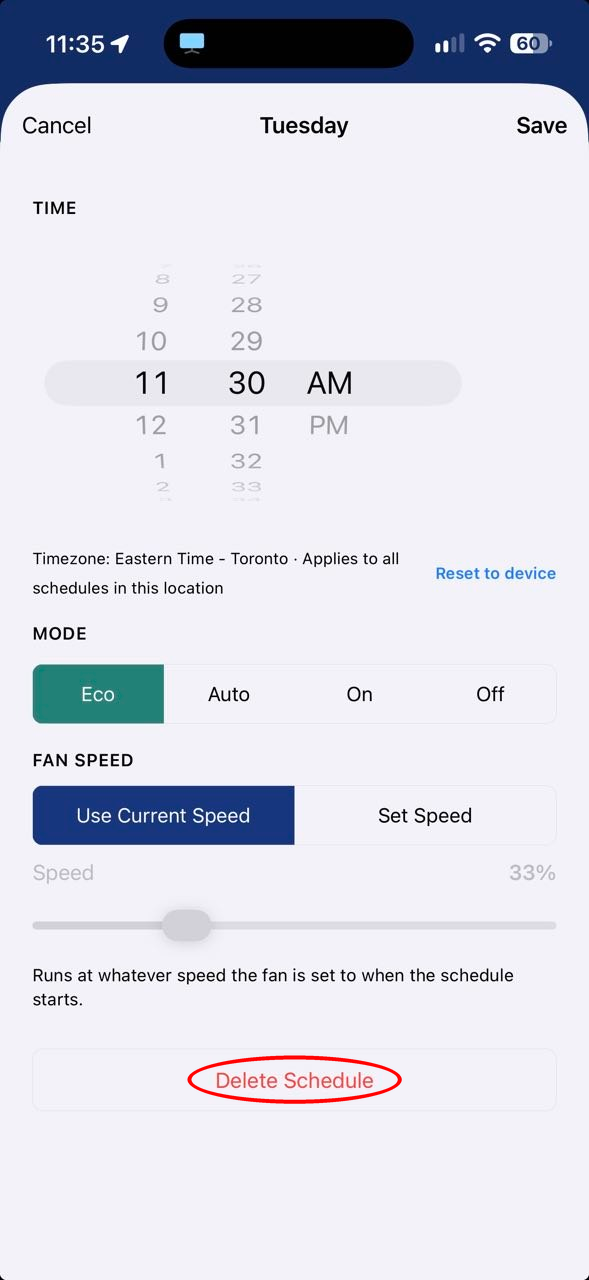
Step 5. To change the schedule, adjust the time, mode or fan speed, then tap Save at the top right.
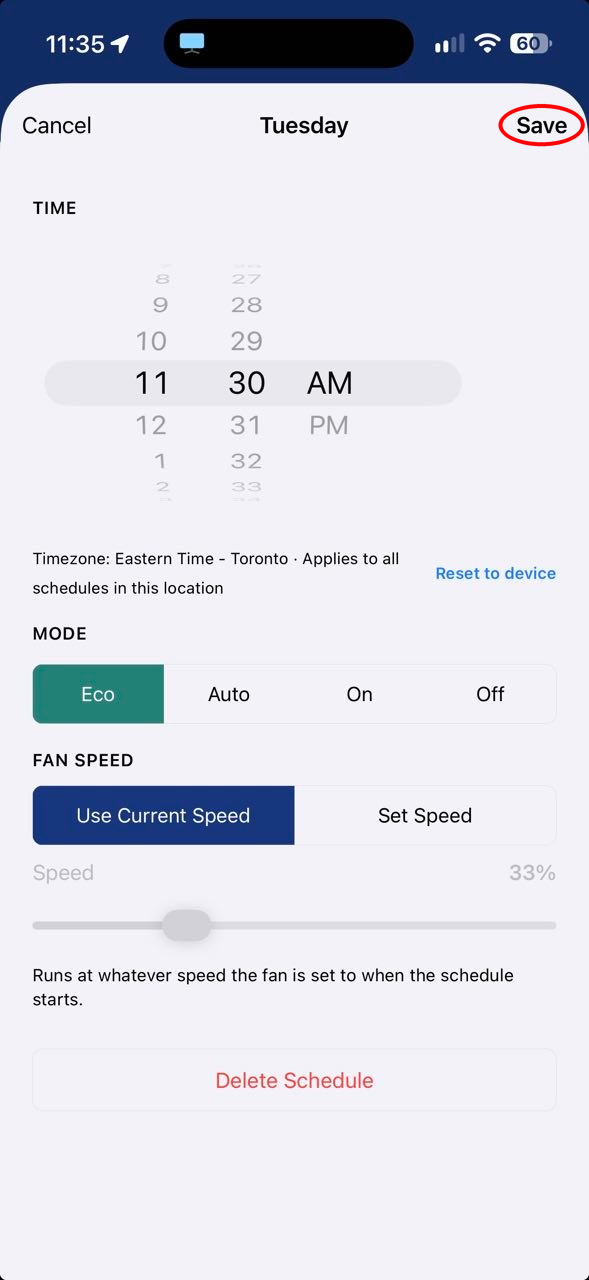
Step 6. To delete the schedule, tap Delete Schedule and confirm.